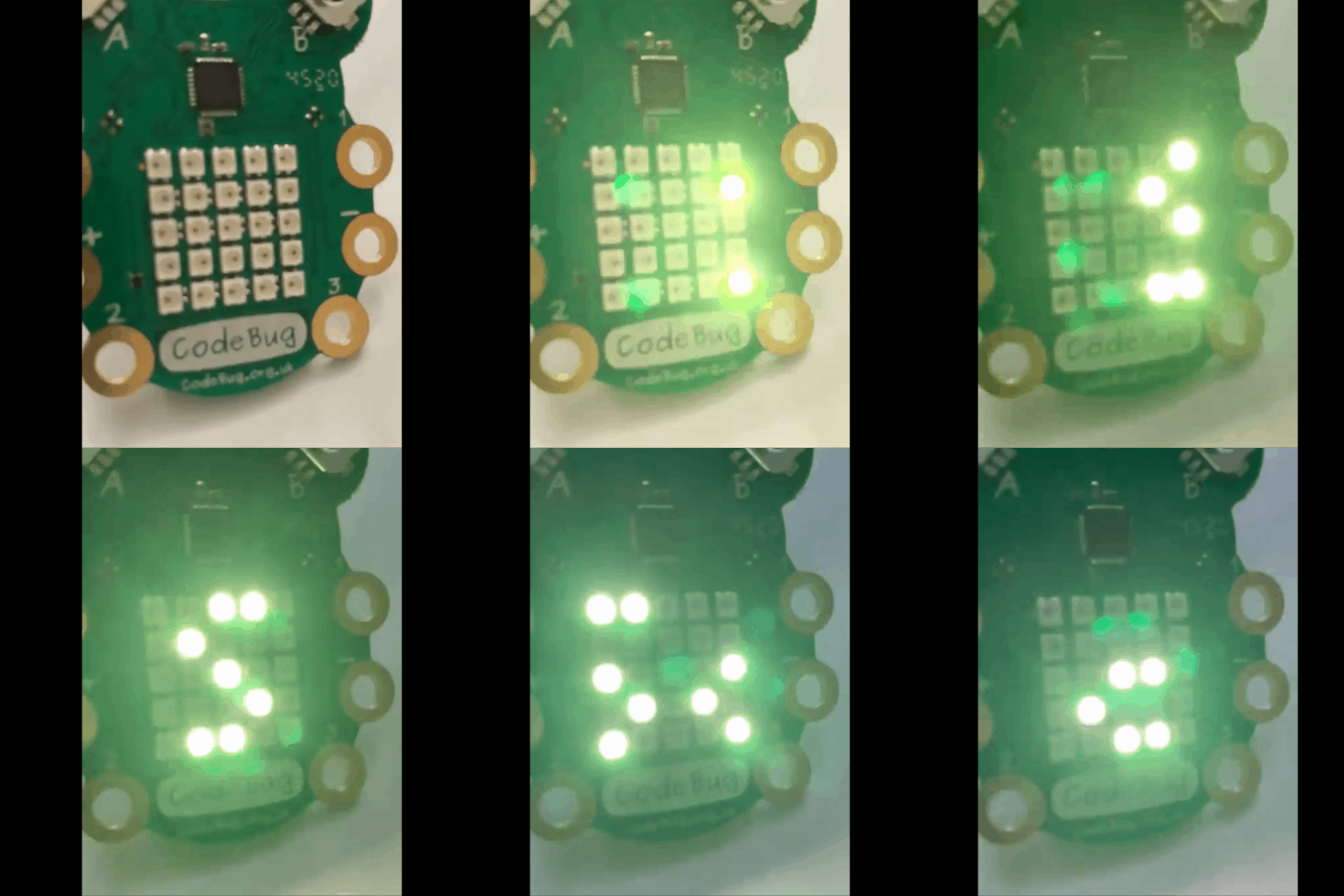
Initial experiments with Code Bug Connect


Code Bug has been around for a while, and it is incredibly cute, When it first came, it was a very interesting piece of kit - and it is still is and fun to play with. It spec means it is still a very useful piece of kit.

  • 5x5 Red LED display
  • 2 buttons
  • 6 touch sensitive I/O pads (4 input/output, power and ground)
  • Micro USB socket
  • CR2032 battery holder
  • Expansion port for I2C, SPI and UART
  • Blockly-based online programming interface
  • CodeBug emulator for checking code before downloading

In 2020 Code Bug launched and successfully funded a Kickstarter campaign (https://www.kickstarter.com/projects/codebug/codebug-connect-cute-colourful-and-programmable-iot-wearable ) for a new version the Code Bug - CodeBug Connect with a serious upgrade.(and the name Connect is highly appropriate with USB tethering and Wifi capability in this version. The technical specification (taken from their site https://www.kickstarter.com/projects/codebug/codebug-connect-cute-colourful-and-programmable-iot-wearable ) shows how much of an upgrade this is:

  • 5x5 RGB LEDs with dedicated hardware driver/buffer
  • Two 5 way navigation joysticks
  • Onboard Accelerometer
  • 4 GPIO legs, including high impedance sensing for detecting touch (think  MaKey MaKey TM)
  • 6 Sewable/croc-clip-able loops. 4 I/O including analogue 1 power and ground
  • 6 pin GPIO 0.1" header (configurable for UART/I2C/SPI, I2S or analogue audio out)
  • QuadCore -- four heterogeneous processors
  • 4MB Flash Storage
  • 2.4GHz WiFi 802.11 b/n/g, Station and Soft AP (simultaneous)
  • Experimental long range wireless 0.8km to another CodeBug Connect
  • UART terminal access over USB
  • High efficiency SMPS Boost convertor for battery (JST PH connector)
  • High efficiency SMPS Buck convertor from 5V USB


Recently the early version of the Connects have been arriving and it is cool (IMHO). 


The getting going guide  https://cbc.docs.codebug.org.uk/gettingstarted/quickstart.html lives it up to its name and does a better explanation of doing this than I can provide here.


First I played with the USB and the blockly style programming tool https://www.codebug.org.uk/newide/ (see above) essentially producing a very slightly modified version of their starter code. You can perhaps see the Python style coming in with the while True coming in. Works well and it showed one of the different between this version and the older one; the LEDs are now colourful instead of red only. Programming it, while using the laptops USB to power it does lead to pulling the cable in and out to get the code to run - but that is fine and is clearly explained in the guide

You can connect it via wifi to a phone or a laptop so tried it with a phone. The getting started guide explains it well and the online editor allows you to program in micropython and example is shown below


import cbc

from color import Color

import time


while True:

  cbc.display.scroll_text(str(" Bug 1"), fg=Color('#f0ff20'))

  time.sleep(1)


They have even thought about security. I set my system to connect via wifi through my phone; but when I want to connect through my laptop I had to go through  the adoption process to try it on my phone and a laptop - sounds scary but it is well explained in the getting going guide and is relatively simple to do.


Looking forward to exploring the device a lot more, the guide also includes a number of code examples to play with and explore. A feature I particularly liked was seeing the block code rendered as python when using the editor on the phone.


All opinions in this blog are the Author's and should not in any way be seen as reflecting the views of any organisation the Author has any association with. Twitter @scottturneruon

Comments

Popular posts from this blog

Robot Software

In the previous blog posts for this 'series' "It is a good time...."  Post 1  looked at the hardware unpinning some of this positive rise in robots; Post 2  looked at social robots; Post 3  looked at a collection of small robots; Post 4 looked at further examples of small robots Robots, such as the forthcoming Buddy and JIBO, will be based some established open sourceand other technologies. Jibo will be based around various technologies including Electron and JavaScript (for more details see:  http://blog.jibo.com/2015/07/29/jibo-making-development-readily-accessible-to-all-developers/ ). Buddy is expected to be developed around tools for Unity3d, Arduino and OpenCV, and support Python, C++, C#, Java and JavaScript (for more details see http://www.roboticstrends.com/article/customize_your_buddy_companion_robot_with_this_software_development_kit ).  This post contin ues with some of the software being used with the smaller robots.  A number ...

Speech Recognition in Scratch 3 - turning Hello into Bonjour!

The Raspberry Pi Foundation recently released a programming activity Alien Language , with support Dale from Machine Learning for Kids , that is a brilliant use of Scratch 3 - Speech Recognition to control a sprite in an alien language. Do the activity, and it is very much worth doing, and it will make sense! I  would also recommend going to the  machinelearningforkids.co.uk   site anyway it is full of exciting things to do (for example loads of activities  https://machinelearningforkids.co.uk/#!/worksheets  ) . Scratch 3 has lots of extensions that are accessible through the Extension button in the Scratch 3 editor (see below) which add new fun new blocks to play with. The critical thing for this post is  Machine Learning for Kids  have created a Scratch 3 template with their own extensions for Scratch 3 within it  https://machinelearningforkids.co.uk/scratch3/ . One of which is a Speech to Text extension (see below). You must use this one ...

WebVR 3 Playtime: Augmented Reality

I am going to try to persuade you that using A-Frame it is not hard to do some simple Augmented Reality (AR) for free, via a browser, but that also can run on a mobile device. Introduction This is part of a short series of articles about some experiments with WebVR Web-based Virtual Reality - in this case based on the wonderful A-Frame  ( https://aframe.io )   .  In the first post  WebVR playtime 1: Basics of setting up, images and rotating blocks ,  I looked at setting up a scene and then rotating an object.  In the second pos t, recapped the basics, then look at adding video, 360 degree video, and models developed elsewhere. In this post we are going to start looking at using WebVR as part of an augmented reality solution. I going to start by building on the great resource Creating Augmented Reality with AR.js and A-Frame by Jerome Etienne, creator of AR.js - the starting code below and the basis of the solution ...